
Stylish Name Generator
Create beautiful, stylish names in English, Hindi, Urdu, Bengali, Arabic, Nepali, and Malayalam with hundreds of decorative Unicode styles.
Scroll to switch categories • Tap any style to copy it to your clipboard
Stylish Name Generator – Create Cool & Fancy Text Online
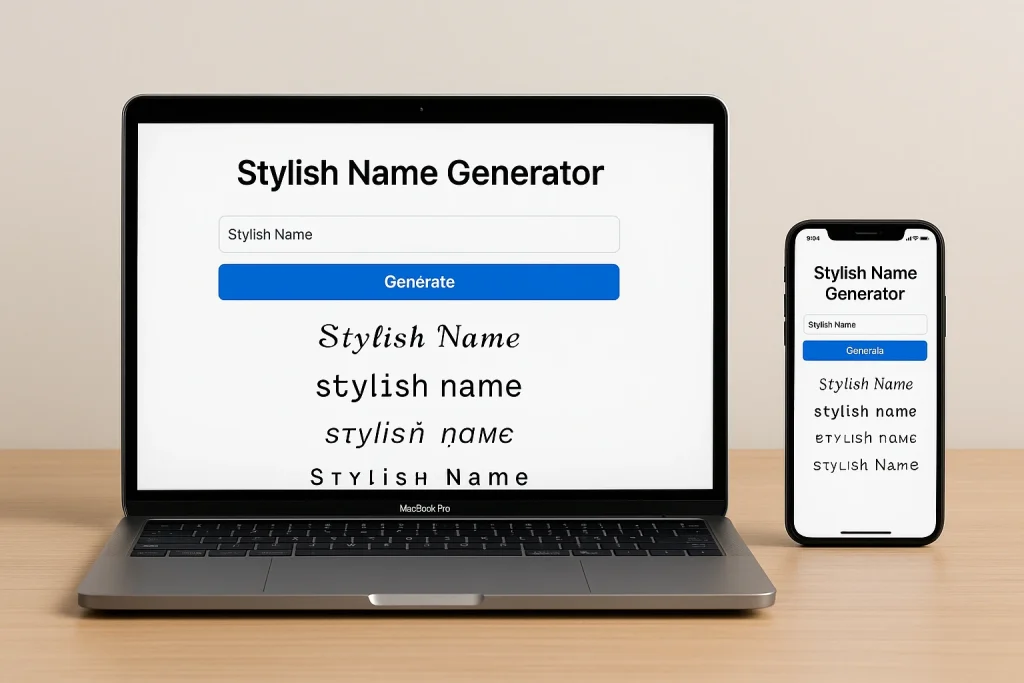
Make your name stand out with our free stylish name generator. Type your name once and get hundreds of creative font styles, symbols and borders in English, Hindi (हिंदी), Urdu (اردو), Bengali (বাংলা), Arabic, Nepali and Malayalam, then copy and paste anywhere. No sign-up, no app needed.
How to use it
- Type your name in the box above.
- Pick a language and text color (optional).
- Tap any style to copy it instantly, then paste it into Instagram, PUBG, Free Fire, WhatsApp or Facebook.
Made for gamers and creators
Build a standout gaming identity for Free Fire or PUBG with crowns, stars and bordered name designs. Style your Instagram bio, captions and usernames with fancy fonts built on Unicode, so they display correctly on most devices.
New styles added regularly
Our collection covers bubble text, gothic, script, bold and decorative symbol styles. Everything is free and mobile-friendly.
How to Make a Stylish Name
To make a stylish name, you can:
- Use special symbols (★, ♛, 𓆩, 𓆪, 〆, ×, ꧁, ꧂)
- Add cool fonts
- Mix capital and small letters
- Add numbers creatively
꧁༒𝓡𝓸𝓱𝓲𝓽༒꧂
★彡[Ꭺʏᴜsʜ]彡★
𓆩𝕯𝖆𝖗𝖐 𝕶𝖎𝖓𝖌𓆪
The fastest way is the generator at the top of this page: type your name and every style above is made for you.
How to Write a Stylish Name
Step by step:
- Type your name in the stylish name generator.
- Copy the style you like.
- Paste it where you want (Instagram, games, bio, etc.).
You can also add letter styles by hand:
𝓐𝓑𝓒 (cursive style)
𝕬𝕭𝕮 (bold gothic)
🅐🅑🅒 (circle style)
How to Write a Stylish Name on Instagram
- Open Instagram.
- Go to Profile.
- Tap Edit Profile.
- Paste your stylish name in the Name section.
- Tap Done.
You can use symbols, emojis and fancy fonts.
♛𝓢𝓱𝓲𝔃𝓾𝓴𝓪♛
𝕯𝖊𝖛𝖎𝖑 𝕲𝖎𝖗𝖑 🔥
How to Write a Stylish Name in Free Fire
- Open the game.
- Go to Profile.
- Tap the edit icon beside your name.
- Paste your stylish name.
- Confirm (it may require a name change card).
Popular styles:
亗『LEGEND』亗
꧁༒ƊɛʌƊpooℓ༒꧂
〆Ꭰᴀʀκ々ᏦιηGs
Want names made for the game? Try the Free Fire Name Generator.
How to Write a Stylish Name in Your Insta Bio
- Go to Profile → Edit Profile.
- Paste your stylish text in the Bio section.
- Add emojis and symbols.
- Save.
💫 Dream Big | Stay Humble
🔥 Official Account
🎮 Gamer | ❤️ Music
👑 Born to Shine
Frequently Asked Questions
How do I make a stylish name?
Type your name in the generator at the top of this page, scroll through the style categories, and tap the style you like. It is copied instantly and you can paste it anywhere.
How do I write a stylish name on Instagram?
Copy a style from the generator, open Instagram, go to Profile, tap Edit Profile, paste it into the Name field and tap Done. The same works for your bio.
How do I use a stylish name in Free Fire or PUBG?
Copy the style, open the game profile, tap the edit icon next to your name, paste it and confirm. Some games require a name change card, and a few block certain symbols.
Why do some symbols show as boxes?
Fancy text uses Unicode characters. If a device or app has no font for a character it shows a box. Pick a different style, or choose a simpler one for apps that do not support it.
Is the stylish name generator free?
Yes. It is completely free, needs no sign-up and no app, and works on phones and computers.
Do the Hindi, Urdu, Bengali, Arabic, Nepali and Malayalam options translate my name?
They convert the sound of your name into that script. The result is approximate, so check it before using it for anything official.